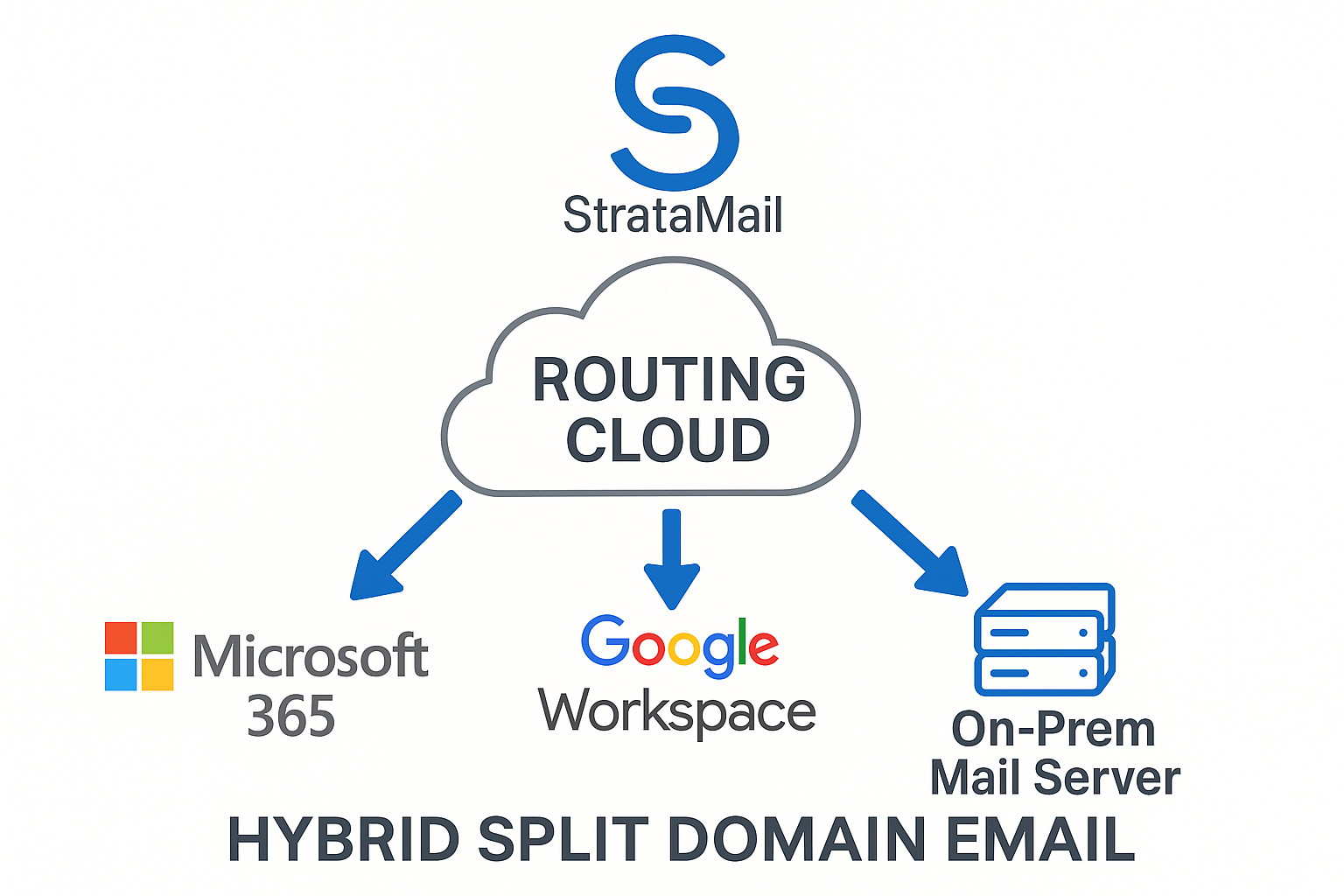
Google Workspace and StrataMail on One Domain
Keep Google Workspace for the people who work in Drive, Meet and shared calendars. Give everyone who only needs email a StrataMail mailbox at the same company address, instead of a Google Workspace seat.
Who this is for
- You pay Google Workspace seats for people who only read and send email. Those seats can be removed once the people move; that is the saving.
- You are growing and the new people need a mailbox, not the full suite. They go straight onto StrataMail, and we compare the cost of adding them rather than a saving.
How your mail flows
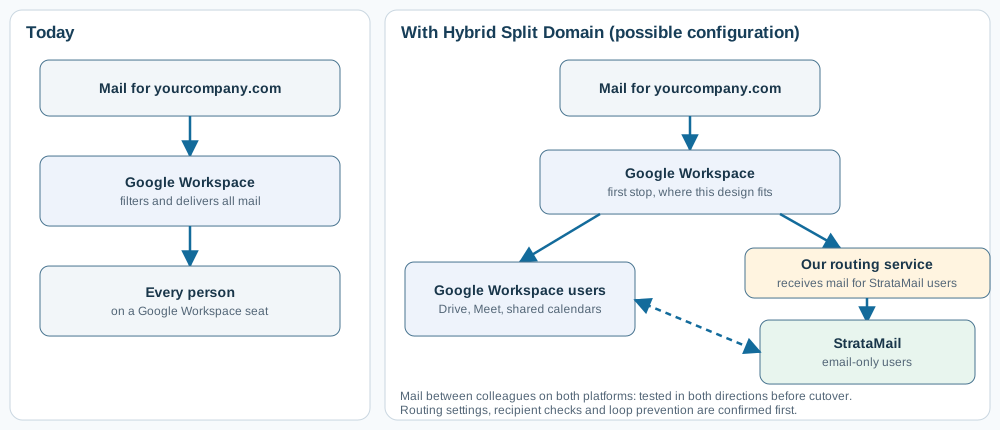
Where Google Workspace-first delivery is suitable, incoming mail can continue through Google before messages for StrataMail recipients are routed onward. We verify the Google routing settings, applicable filtering, and end-to-end delivery before cutover. Google delivers mail for its own users as it does today, and mail for StrataMail users is passed to our routing service, which delivers it to StrataMail. Mail between colleagues on the two platforms is tested in both directions before cutover. If you prefer independent filtering in front of the domain, our email security services can sit there instead.
What changes for the people who move
- They keep their email address. Their existing email, with folders, can be copied into StrataMail as an optional, separately quoted step.
- They use StrataMail webmail or their usual email app on computer and phone.
- Google Workspace features tied to a removed licence may no longer be available; we review files, calendars, contacts and collaboration dependencies before changing licences. Shared calendars and free/busy between the two groups are not part of the routing service; if the people who move still need calendars or shared contacts, tell us and we plan that part with you.
What we confirm before anything changes
- Who moves and who stays, and the storage each moving user has in the Google Admin console.
- Aliases, groups and shared addresses, and which platform each belongs on.
- Scanners, applications and services that send email as your domain.
- A Google Workspace administrator who can authorise our team to configure the Google side for you.
Routing, sending and authentication
We review Google Admin Gmail routing, recipient handling and whether Google-first delivery or an independent front-end filter fits the domain. We verify messages between Google and StrataMail users in both directions, including unknown recipients. SPF, DKIM and DMARC must account for each authorized sending platform; outbound relay and application senders are checked separately.
How it is priced
- StrataMail hosting: VPS resources and storage are priced separately from the recurring managed routing service.
- Google coexistence: the setup quote covers agreed Gmail routing configuration, recipient checks, authentication and two-way delivery testing.
- Optional migration: historical email copying is separately scoped. Google Drive, calendars, contacts and other Workspace data are not part of an email-only copy.
- Licence comparison: savings depend on the Workspace edition, billing commitment and services each user still needs.
Next step
Tell us how many people stay on Google Workspace, how many only use email, and roughly how much mail they keep. We send back a design for your domain and a written price.
Discuss your hybrid requirements Book a scoping call
Hybrid Split Domain overview | With Microsoft 365 | With Google Workspace | Keep your email filter | Move from an older mail server
Next step
Talk to us about split-domain routing
Describe Your Challenge View Consulting ServicesOptional paid service: Microsoft 365 Email Cost & Split-Domain Assessment - $149. View consulting services and rates.

Start here
Microsoft 365 Email Cost & Split-Domain Assessment — $149
Find out whether moving selected email-only users to StrataMail could lower your Microsoft 365 costs while retaining the Microsoft services your team needs. This is a written planning assessment, not a full tenant security audit or a migration.
What you get back
- Review of up to 25 mailbox entries for one Microsoft 365 tenant and one email domain, using the inventory and licence details you provide
- Identification of potential email-only candidates and accounts that may still need Microsoft 365 features or licences
- A cost comparison showing assumptions, proposed StrataMail hosting and routing charges, and estimated annual net savings or additional cost
- A recommended sequence and technical considerations for any optional migration; implementation and mail copying are separately quoted
- A written finding even if keeping your current configuration is the better choice
Turnaround approximately five business days after the required information is received. The $149 assessment fee is credited once against an approved hybrid email implementation if you proceed. It does not reduce recurring service fees or third-party licence charges.
Request the Microsoft 365 Email Cost & Split-Domain Assessment See consulting ratesTell us about your split-domain routing needs
Describe your situation and we will look into it and get back to you.
Describe Your Challenge Explore Consulting